
Assalamualaikum, jumpa lagi di triyonos.com dengan tutorial-tutorial implementasi pemrograman yang menarik untuk dipelajari.
Di tutorial ini akan dibahas mengenai contoh lain dari implementasi teknologi Server-Sent Events, setelah sebelumnya pada tutorial "Implementasi Server Sent Events. OpenCV Color Detection Web App Sebagai Controller Warna LED Strip" dibahas implementasi Server-Sent Events dengan menggunakan Flask sebagai server yang mengirimkan data RGB dari warna benda yang tertangkap web cam, dan Node.js sebagai client yang menerima data RGB untuk diteruskan ke Arduino dan LED strip.
Apa Itu Server-Sent Events (SSE)?
Server-Sent Events (SSE) adalah cara mengirimkan pesan ke client (atau browser) tanpa harus melakukan polling untuk mendapatkan informasi.
Setelah koneksi awal terjalin antara client dan server, pesan dapat dialirkan ke client tetapi koneksi hanya berfungsi satu arah, artinya pesan tidak dapat dialirkan kembali ke server. SSE distandarisasi sebagai bagian dari HTML5 oleh EventSource API, dan oleh karena itu kita bisa langsung menggunakan EventSource API ini di semua browser modern.
Bagaimana Server-Sent Events Bekerja?
Server-Sent Events selalu dimulai oleh client yang membuat konesi dengan server. Setelah koneksi dibuat, data dialirkan ke klien dari server hingga koneksi diakhiri oleh client.

Implementasi teknologi Server-Sent Events pada tutorial ini adalah alternatif dari teknik visualisasi data ke dalam chart dari tutorial "Plot Nilai Kelembaban dari Sensor DHT22 ke dalam Chart Menggunakan Node.js, CodeIgniter 4 dan Highcharts", yang menggunakan teknologi AJAX.
Dengan menggunakan Server-Sent Events proses plot data ke dalam chart menjadi real time karena server dapat langsung mem-push data kapanpun ke client tanpa perlu request dari client dan menunggu respon dari server. Protokol SSE bekerja dengan membuat persistent HTTP connection antara server dan klien. Koneksi ini tetap terbuka selama klien ingin menerima pembaruan dari server.
Skenario Praktikum
Di tutorial ini saya menggunakan board NodeMCU ESP8266 dan sensor DHT22 sebagai server yang akan mengirimkan data Kelembaban dan Temperatur tiap 5 detik ke halaman web CodeIgniter 4. Data kelembaban dan temperatur tersebut, masing-masing akan diplot ke dalam grafik (chart) menggunakan plugin Highchart.js.

Hardware yang harus disiapkan
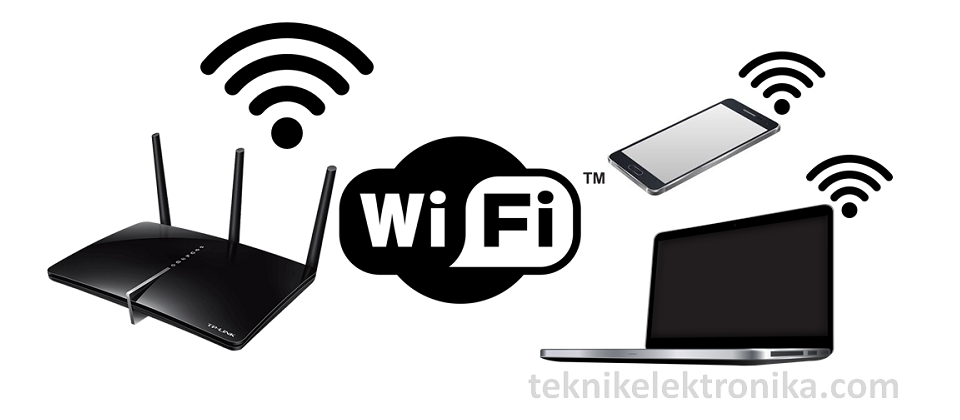
1. Jaringan Wi-Fi
2. Lolin NodeMCU V3

3. DHT22

4. Kabel Jumper

5. Breadboard

6. Kabel Micro USB

Langkah-langkah Praktikum
1. Upload Sketch .ino ke ESP8266
Buka sketch baru di Arduino IDE kemudian install board ESP8266 melalui Boards Manager

Colokkan board esp8266 ke laptop atau PC kemudian check COM portnya melalui device manager. Di PC saya NodeMCU ESP8266 terhubung melalui port COM13.


Copy paste sketch .ino yang saya peroleh dari github-nya IU5HKU / ESP8266-ServerSentEvents, yang sudah saya modifikasi berikut ini:
/*
 Server-Sent Events / EventSource DEMO
 forked from Claudius Coenen repository
 based on Web Server example by David A. Mellis and Tom Igoe
 Adapted to the new ESP8266 SDK 2.4.2 by Marco Campinoti

 Circuit:
 * Analog input attached to pins A0 (optional)
 * Digital input attached to pins 5 or 6 (optional)

 This is free software. Use, modify and tinker with it however you like!
 LICENSED UNDER CC-BY-4.0 http://creativecommons.org/licenses/by/4.0/
*/

#include <ESP8266WiFi.h>
#include <WiFiClient.h>
#include <ESP8266WebServer.h>

#include <Wire.h>
#include "DHT.h"

#define DHTTYPE DHT22 // DHT 22 (AM2302), AM2321
//DHT Sensor;
uint8_t DHTPin = 12;
DHT dht(DHTPin, DHTTYPE);
float Temperature;
float Humidity;


//declare the webserver
ESP8266WebServer server(80);

void setup() {
  // Open serial communications and wait for port to open:
  Serial.begin(115200);

  pinMode(DHTPin, INPUT);
  dht.begin();

  while (!Serial) {
    ; // wait for serial port to connect
  }

  if (WiFi.status() != WL_CONNECTED)
  {
    Serial.print(F("Connecting"));

    WiFi.persistent(false);       // WiFi config isn't saved in flash
    WiFi.mode(WIFI_STA);          // use WIFI_AP_STA if you want an AP
    WiFi.hostname("ESP8266");    // must be called before wifi.begin()
    WiFi.begin("SSM", "SSMEVO5.0");  // WiFi.begin("SSID", "Password")

    while (WiFi.status() != WL_CONNECTED) {
        delay(500);
        Serial.print(F("."));
    }
  }

  Serial.println();
  Serial.print(F("IP address: "));
  Serial.println(WiFi.localIP());

  //start the webserver
  server.begin();
  //Server Sent Events will be handled from this URI
  server.on("/ssedata", handleSSEdata);
}

void loop() {
  // listen for incoming clients
  server.handleClient();
}

void handleSSEdata(){
  WiFiClient client = server.client();

  if (client) {
    Serial.println("new client");
    serverSentEventHeader(client);
    while (client.connected()) {
      serverSentEvent(client);
      delay(5000); // round about 60 messages per second
    }

    // give the web browser time to receive the data
    delay(1);
    // close the connection:
    client.stop();
    Serial.println("client disconnected");
  }
}

void serverSentEventHeader(WiFiClient client) {
  client.println("HTTP/1.1 200 OK");
  client.println("Content-Type: text/event-stream;charset=UTF-8");
  client.println("Connection: close");  // the connection will be closed after completion of the response
  client.println("Access-Control-Allow-Origin: *");  // allow any connection. We don't want Arduino to host all of the website ;-)
  client.println("Cache-Control: no-cache");  // refresh the page automatically every 5 sec
  client.println();
  client.flush();
}

void serverSentEvent(WiFiClient client) {
  if (isnan(Humidity) || isnan(Temperature)) {

    Serial.println("Error reading sensor !");
    return;
  } else {
    Humidity = dht.readHumidity();
    // Read temperature as Celsius (the default)
    Temperature = dht.readTemperature();

    client.println("event: esp8266"); // this name could be anything, really.
    client.print("data: [");
    client.print(Humidity);
    client.print(", ");
    client.print(Temperature);
    client.println("]");
    client.println();
    client.flush();

    Serial.print("Humidity : ");
    Serial.print(Humidity);
    Serial.print(", Temperature : ");
    Serial.println(Temperature);
  }

}
Hapus sketch pada editor kemudian Paste kan sketch yang baru saja di-copy, selanjutnya pilih Board NodeMCU 1.0 (ESP-12E Module) COM13.

Klik tombol Upload dan tunggu sampai Done Uploading.

2. Assembling
Rangkai komponen-komponen elektrikal seperti wiring diagram berikut:

Assembling Breadboard, Lolin NodeMCU ESP8266 & DHT22

3. Membuat Web Page Client Menggunakan CodeIgniter 4
Buka Windows command prompt, arahkan ke directory xampp/htdocs.

Copy perintah composer di bawah ini untuk menginstal CodeIgniter 4:
composer create-project codeigniter4/appstarter ci4sse_nodemcu --no-dev
Paste ke command prompt kemudian tekan enter untuk proses instalasi CodeIgniter 4

Jika proses instalasi berhasil sampai selesai maka akan ter-create folder ci4ss_nodemcu di dalam folder htdocs.

Buka folder project ci4sse_nodemcu melalui Visual Studio Code. Dobel klik file welcome_message.php, hapus semua code.

Copy script .php di bawah ini:
<!DOCTYPE html>
<head>
<html lang="en">
    <meta charset="UTF-8">
    <title>Welcome to CodeIgniter 4!</title>
    <meta name="description" content="The small framework with powerful features">
    <meta name="viewport" content="width=device-width, initial-scale=1.0">
    <link rel="shortcut icon" type="image/png" href="/favicon.ico">

    <!-- STYLES -->

    <style {csp-style-nonce}>
        * {
            transition: background-color 300ms ease, color 300ms ease;
        }
        *:focus {
            background-color: rgba(221, 72, 20, .2);
            outline: none;
        }
        html, body {
            color: rgba(33, 37, 41, 1);
            font-family: -apple-system, BlinkMacSystemFont, "Segoe UI", Helvetica, Arial, sans-serif, "Apple Color Emoji", "Segoe UI Emoji";
            font-size: 16px;
            margin: 0;
            padding: 0;
            -webkit-font-smoothing: antialiased;
            -moz-osx-font-smoothing: grayscale;
            text-rendering: optimizeLegibility;
        }
        header {
            background-color: rgba(247, 248, 249, 1);
            padding: .4rem 0 0;
        }
        .menu {
            padding: .4rem 2rem;
        }
        header ul {
            border-bottom: 1px solid rgba(242, 242, 242, 1);
            list-style-type: none;
            margin: 0;
            overflow: hidden;
            padding: 0;
            text-align: right;
        }
        header li {
            display: inline-block;
        }
        header li a {
            border-radius: 5px;
            color: rgba(0, 0, 0, .5);
            display: block;
            height: 44px;
            text-decoration: none;
        }
        header li.menu-item a {
            border-radius: 5px;
            margin: 5px 0;
            height: 38px;
            line-height: 36px;
            padding: .4rem .65rem;
            text-align: center;
        }
        header li.menu-item a:hover,
        header li.menu-item a:focus {
            background-color: rgba(221, 72, 20, .2);
            color: rgba(221, 72, 20, 1);
        }
        header .logo {
            float: left;
            height: 44px;
            padding: .4rem .5rem;
        }
        header .menu-toggle {
            display: none;
            float: right;
            font-size: 2rem;
            font-weight: bold;
        }
        header .menu-toggle button {
            background-color: rgba(221, 72, 20, .6);
            border: none;
            border-radius: 3px;
            color: rgba(255, 255, 255, 1);
            cursor: pointer;
            font: inherit;
            font-size: 1.3rem;
            height: 36px;
            padding: 0;
            margin: 11px 0;
            overflow: visible;
            width: 40px;
        }
        header .menu-toggle button:hover,
        header .menu-toggle button:focus {
            background-color: rgba(221, 72, 20, .8);
            color: rgba(255, 255, 255, .8);
        }
        header .heroe {
            margin: 0 auto;
            max-width: 1100px;
            padding: 1rem 1.75rem 1.75rem 1.75rem;
        }
        header .heroe h1 {
            font-size: 2.5rem;
            font-weight: 500;
        }
        header .heroe h2 {
            font-size: 1.5rem;
            font-weight: 300;
        }
        section {
            margin: 0 auto;
            max-width: 1100px;
            padding: 2.5rem 1.75rem 3.5rem 1.75rem;
        }
        section h1 {
            margin-bottom: 2.5rem;
        }
        section h2 {
            font-size: 120%;
            line-height: 2.5rem;
            padding-top: 1.5rem;
        }
        section pre {
            background-color: rgba(247, 248, 249, 1);
            border: 1px solid rgba(242, 242, 242, 1);
            display: block;
            font-size: .9rem;
            margin: 2rem 0;
            padding: 1rem 1.5rem;
            white-space: pre-wrap;
            word-break: break-all;
        }
        section code {
            display: block;
        }
        section a {
            color: rgba(221, 72, 20, 1);
        }
        section svg {
            margin-bottom: -5px;
            margin-right: 5px;
            width: 25px;
        }
        .further {
            background-color: rgba(247, 248, 249, 1);
            border-bottom: 1px solid rgba(242, 242, 242, 1);
            border-top: 1px solid rgba(242, 242, 242, 1);
        }
        .further h2:first-of-type {
            padding-top: 0;
        }
        footer {
            background-color: rgba(221, 72, 20, .8);
            text-align: center;
        }
        footer .environment {
            color: rgba(255, 255, 255, 1);
            padding: 2rem 1.75rem;
        }
        footer .copyrights {
            background-color: rgba(62, 62, 62, 1);
            color: rgba(200, 200, 200, 1);
            padding: .25rem 1.75rem;
        }
        @media (max-width: 629px) {
            header ul {
                padding: 0;
            }
            header .menu-toggle {
                padding: 0 1rem;
            }
            header .menu-item {
                background-color: rgba(244, 245, 246, 1);
                border-top: 1px solid rgba(242, 242, 242, 1);
                margin: 0 15px;
                width: calc(100% - 30px);
            }
            header .menu-toggle {
                display: block;
            }
            header .hidden {
                display: none;
            }
            header li.menu-item a {
                background-color: rgba(221, 72, 20, .1);
            }
            header li.menu-item a:hover,
            header li.menu-item a:focus {
                background-color: rgba(221, 72, 20, .7);
                color: rgba(255, 255, 255, .8);
            }
        }

        /* Create two equal columns that floats next to each other */
		.column {
			float: left;
			width: 50%;
			padding: 10px;
			height: 300px; /* Should be removed. Only for demonstration */
		}

		/* Clear floats after the columns */
		.row:after {
			content: "";
			display: table;
			clear: both;
			padding-bottom: 20px;
		}
    </style>
</head>
<body>

<!-- HEADER: MENU + HEROE SECTION -->
<header>

    <div class="menu">
        <ul>
            <li class="logo">
                <a href="https://codeigniter.com" target="_blank">
                    <svg role="img" aria-label="Visit CodeIgniter.com official website!" xmlns="http://www.w3.org/2000/svg" viewBox="0 0 2100 500" height="44"><path fill="#dd4814" d="M148.2 411c-20.53-9.07-34.48-28.61-36.31-50.99 1.2-23.02 13.36-44.06 32.67-56.61-3.17 7.73-2.4 16.53 2 23.6 5.01 7 13.63 10.36 22.07 8.61 12.02-3.38 19.06-15.86 15.68-27.89-1.2-4.21-3.6-8.03-6.88-10.91-13.6-11.06-20.43-28.44-18-45.81 2.33-9.2 7.42-17.52 14.61-23.8-5.4 14.4 9.83 28.61 20.05 35.6 18.14 10.88 35.6 22.84 52.32 35.81 18.27 14.4 28.23 36.94 26.67 60-4.11 24.54-21.47 44.8-45.13 52.4 47.33-10.53 96.13-48.13 97.06-101.46-.93-42.67-26.4-80.96-65.33-98.4h-1.73c.86 2.09 1.28 4.34 1.2 6.61.13-1.47.13-2.93 0-4.4.21 1.73.21 3.47 0 5.2-2.96 12.13-15.2 19.6-27.36 16.64-4.86-1.2-9.2-3.93-12.32-7.87-15.6-20 0-42.76 2.61-64.76 1.6-28.13-11.25-55.02-34.05-71.46 11.41 19.02-3.79 44-14.84 58.21-11.07 14.21-27.07 24.8-40.11 37.2-14.05 13.07-26.93 27.44-38.49 42.8-24.99 30.53-34.8 70.8-26.67 109.4 11.15 37.2 42.07 65.15 80.2 72.4h.21l-.13-.12Zm324.56-159.8q0-17.92 6.16-35.56 6.44-17.92 18.48-31.92t29.68-22.68q17.64-8.96 40.04-8.96 26.6 0 45.36 12.04 19.04 12.04 28 31.36l-15.4 9.52q-4.76-9.8-11.76-16.52-6.72-6.72-14.56-10.92-7.84-4.2-16.24-5.88-8.4-1.96-16.52-1.96-17.92 0-31.64 7.28-13.72 7.28-23.24 19.04-9.24 11.76-14 26.6-4.76 14.56-4.76 29.68 0 16.52 5.6 31.64 5.88 15.12 15.68 26.88 10.08 11.48 23.52 18.48 13.72 6.72 29.68 6.72 8.4 0 17.08-1.96 8.96-2.24 17.08-6.72 8.4-4.76 15.4-11.48 7-7 11.76-16.8l16.24 8.4q-4.76 11.2-13.44 19.88-8.68 8.4-19.32 14.28-10.64 5.88-22.68 8.96-11.76 3.08-23.24 3.08-20.44 0-37.52-8.96-17.08-8.96-29.4-23.24-12.32-14.56-19.32-32.76-6.72-18.48-6.72-37.52Zm263.48 103.6q-15.96 0-29.12-5.88-13.16-6.16-22.96-16.52-9.52-10.36-14.84-24.08Q664 294.6 664 279.48q0-15.4 5.32-29.12 5.6-13.72 15.12-24.08 9.8-10.36 22.96-16.52t28.84-6.16q15.68 0 28.84 6.16 13.44 6.16 22.96 16.52 9.8 10.36 15.12 24.08 5.6 13.72 5.6 29.12 0 15.12-5.32 28.84t-15.12 24.08q-9.52 10.36-22.96 16.52-13.16 5.88-29.12 5.88Zm-52.92-75.04q0 12.32 4.2 22.96 4.2 10.36 11.2 18.48 7.28 7.84 16.8 12.32 9.8 4.48 20.72 4.48 10.92 0 20.44-4.48 9.8-4.76 17.08-12.6 7.28-8.12 11.48-18.76 4.2-10.64 4.2-22.96 0-12.04-4.2-22.68-4.2-10.92-11.48-18.76-7.28-8.12-17.08-12.6-9.52-4.76-20.44-4.76-10.92 0-20.44 4.76-9.52 4.48-16.8 12.6-7.28 8.12-11.48 19.04-4.2 10.64-4.2 22.96ZM900.6 354.8q-15.12 0-28-6.16-12.88-6.44-22.12-16.8t-14.56-23.8q-5.04-13.72-5.04-28.56 0-15.4 5.04-29.12 5.04-14 13.72-24.36 8.96-10.36 21-16.24 12.32-6.16 26.88-6.16 18.48 0 32.76 9.8 14.28 9.52 22.4 23.24V147.6h19.04v179.76q0 7.84 6.72 7.84V352q-4.2.84-6.72.84-6.72 0-11.76-4.2-5.04-4.48-5.04-10.64v-14.28Q946.24 338 931.4 346.4t-30.8 8.4Zm4.2-16.8q7 0 14.84-2.8 8.12-2.8 15.12-7.56 7-5.04 11.76-11.48 5.04-6.72 6.16-14.28V256.8q-2.8-7.56-8.12-14-5.32-6.72-12.32-11.76-6.72-5.04-14.56-7.84-7.84-2.8-15.4-2.8-11.76 0-21.28 5.04-9.52 5.04-16.52 13.44-6.72 8.12-10.36 18.76-3.64 10.64-3.64 21.84 0 11.76 4.2 22.4 4.2 10.64 11.48 18.76 7.28 7.84 17.08 12.6Q893.32 338 904.8 338Zm173.04 16.8q-15.96 0-29.4-5.88-13.16-6.16-22.96-16.52-9.8-10.64-15.4-24.36-5.32-13.72-5.32-29.4 0-15.4 5.32-28.84 5.6-13.72 15.12-23.8 9.8-10.36 23.24-16.24 13.44-6.16 29.12-6.16 15.96 0 29.12 6.16 13.44 5.88 22.96 16.24 9.52 10.36 14.84 23.8 5.32 13.44 5.32 28.56v4.48q0 2.24-.28 3.08h-124.88q.84 11.76 5.32 21.84 4.76 9.8 12.04 17.08 7.28 7.28 16.52 11.48 9.52 3.92 20.16 3.92 7 0 14-1.96t12.88-5.32q5.88-3.36 10.64-8.12 4.76-5.04 7.28-10.92l16.52 4.48q-3.36 8.12-9.52 14.84-6.16 6.44-14.28 11.48-8.12 4.76-17.92 7.56-9.8 2.52-20.44 2.52Zm-53.48-83.44h107.24q-.84-11.76-5.6-21.28-4.48-9.8-11.76-16.8-7-7-16.52-10.92-9.24-3.92-19.88-3.92-10.64 0-20.16 3.92t-16.8 10.92q-7 7-11.48 16.8-4.2 9.8-5.04 21.28Zm193.2 80.64h-38.64V153.2h38.64V352Zm93.52.84q-14.84 0-26.88-5.88t-21-15.96q-8.68-10.36-13.44-23.8-4.76-13.44-4.76-28.56 0-15.96 5.04-29.68 5.04-13.72 14-24.08 8.96-10.36 21.56-16.24 12.6-5.88 27.72-5.88 17.08 0 29.96 7.84 12.88 7.56 21.28 20.44v-25.76h32.76V345q0 16.24-6.16 29.12-6.16 12.88-17.08 21.84-10.64 8.96-25.76 13.72-14.84 4.76-32.48 4.76-24.08 0-40.6-7.84-16.24-8.12-28-22.68l20.44-19.88q8.4 10.36 21 16.24 12.88 5.88 27.16 5.88 8.68 0 16.52-2.24 8.12-2.52 14.28-7.56 6.16-5.04 9.52-12.88 3.64-7.84 3.64-18.48v-18.48q-7.28 12.6-20.44 19.6-13.16 6.72-28.28 6.72Zm12.6-29.96q6.16 0 11.76-1.96t10.36-5.32q4.76-3.36 8.4-7.84 3.64-4.48 5.6-9.52v-35q-5.04-12.88-15.96-20.72-10.64-7.84-22.4-7.84-8.68 0-15.68 3.92-7 3.64-12.04 10.08-5.04 6.16-7.84 14.28-2.52 8.12-2.52 16.8 0 8.96 3.08 16.8t8.4 13.72q5.6 5.88 12.88 9.24 7.28 3.36 15.96 3.36Zm243.88-62.44V352h-37.52v-82.32q0-17.64-6.16-25.76-6.16-8.12-17.08-8.12-5.6 0-11.48 2.24-5.88 2.24-11.2 6.44-5.04 3.92-9.24 9.52t-6.16 12.32V352h-37.52V205.28h33.88v27.16q8.12-14 23.52-21.84t34.72-7.84q13.72 0 22.4 5.04 8.68 5.04 13.44 13.16 4.76 8.12 6.44 18.48 1.96 10.36 1.96 21Zm70.28 91.56h-37.52V205.28h37.52V352Zm0-167.16h-37.52V147.6h37.52v37.24Zm114.24 129.92 7.56 29.68q-7.56 3.36-18.48 6.72-10.92 3.36-22.96 3.36-7.84 0-14.84-1.96-6.72-1.96-12.04-6.16-5.04-4.48-8.12-11.2-3.08-7-3.08-16.8v-84.28h-19.32v-28.84h19.32v-47.6h37.52v47.6h30.8v28.84h-30.8v71.68q0 7.84 3.92 11.2 4.2 3.08 10.08 3.08t11.48-1.96q5.6-1.96 8.96-3.36Zm91.56 40.04q-17.64 0-31.92-5.88-14.28-6.16-24.36-16.52t-15.68-24.08q-5.32-13.72-5.32-28.84 0-15.68 5.32-29.4 5.32-14 15.4-24.36 10.08-10.64 24.36-16.8 14.56-6.16 32.48-6.16 17.92 0 31.92 6.16 14.28 6.16 24.08 16.52 10.08 10.36 15.12 24.08 5.32 13.72 5.32 28.56 0 3.64-.28 7 0 3.36-.56 5.6h-113.4q.84 8.68 4.2 15.4 3.36 6.72 8.68 11.48 5.32 4.76 12.04 7.28 6.72 2.52 14 2.52 11.2 0 21-5.32 10.08-5.6 13.72-14.56l32.2 8.96q-8.12 16.8-26.04 27.72-17.64 10.64-42.28 10.64Zm-38.08-88.48h76.16q-1.4-16.52-12.32-26.32-10.64-10.08-26.04-10.08-7.56 0-14.28 2.8-6.44 2.52-11.48 7.28t-8.4 11.48q-3.08 6.72-3.64 14.84Zm225.12-62.72v34.16q-17.08.28-30.52 6.72-13.44 6.16-19.32 18.76V352h-37.52V205.28h34.44v31.36q3.92-7.56 9.24-13.44 5.32-6.16 11.48-10.64t12.32-6.72q6.44-2.52 12.32-2.52h4.48q1.68 0 3.08.28Z"/></svg>
                </a>
            </li>
            <li class="menu-toggle">
                <button onclick="toggleMenu();">☰</button>
            </li>
            <li class="menu-item hidden"><a href="#">Home</a></li>
            <li class="menu-item hidden"><a href="https://codeigniter4.github.io/userguide/" target="_blank">Docs</a>
            </li>
            <li class="menu-item hidden"><a href="https://forum.codeigniter.com/" target="_blank">Community</a></li>
            <li class="menu-item hidden"><a
                    href="https://github.com/codeigniter4/CodeIgniter4/blob/develop/CONTRIBUTING.md" target="_blank">Contribute</a>
            </li>
        </ul>
    </div>

    <div class="heroe">

        <h1>CodeIgniter 4 Server Sent Events - DHT22 Sensor</h1>

    </div>

    <div class="row">
		<div id="chartHumidity" class="column" style="width:44%; height:400px; margin-left: 40px;"></div>
		<div id="chartTemperature" class="column" style="width:44%; height:400px;"></div>
	</div>

</header>

<footer>
    <div class="environment">

        <p>Page rendered in 0.0233 seconds</p>

        <p>Environment: <?= ENVIRONMENT ?></p>

    </div>

    <div class="copyrights">

        <p>© <?= date('Y') ?> CodeIgniter Foundation. CodeIgniter is open source project released under the MIT
            open source licence.</p>

    </div>

</footer>

<!-- SCRIPTS -->
<script src="https://ajax.googleapis.com/ajax/libs/jquery/3.3.1/jquery.min.js"></script>
<script src="https://code.highcharts.com/highcharts.js"></script>
<script>
    $(document).ready(function() {
		getSseData();

		// setInterval(getSseData, 10000);

		var humidChart = new Highcharts.Chart({
            chart:{
				renderTo : 'chartHumidity',
				spacingTop: 30
			},
            title: { text: 'Highcharts DHT22 Humidity Chart' },
            series: [{
                showInLegend: false,
                data: []
            }],
            plotOptions: {
                line: { animation: false,
                    dataLabels: { enabled: true }
                },
                series: { color: "blue" }
            },
            xAxis: {
                type: 'category',
                title: { text: 'Time' }
            },
            yAxis: {
                title: { text: 'Humidity value' }
            },
            credits: { enabled: false }
        });

		///////////////////////////////////////////
		var tempChart = new Highcharts.Chart({
            chart:{
				renderTo : 'chartTemperature',
				spacingTop: 30
			},
            title: { text: 'Highcharts DHT22 Temperature Chart' },
            series: [{
                showInLegend: false,
                data: []
            }],
            plotOptions: {
                line: { animation: false,
                    dataLabels: { enabled: true }
                },
                series: { color: "blue" }
            },
            xAxis: {
                type: 'category',
                title: { text: 'Time' }
            },
            yAxis: {
                title: { text: 'Temperature value' }
            },
            credits: { enabled: false }
        });
		//////////////////////////////////////////////

		function getSseData() {
			var evtSource = new EventSource('http://192.168.0.76/ssedata');  // Adjust to the NodeMCU ESP8266 IP address

            evtSource.onopen = function() {
                console.log("Connection to server opened.");
            };

            evtSource.onmessage = function(e) {
                console.log('EventSource.onmessage log');
            };

            evtSource.onerror = function() {
                console.log("EventSource failed.");
            };

            evtSource.addEventListener("esp8266", function(e) {
                // console.log(JSON.parse(e.data));
				let myArr = JSON.parse(e.data);
				let humidity = myArr[0];
				let temperature = myArr[1];

				console.log('Humidity : '+humidity+' Temperature : '+temperature);

				let x = formatTime(new Date()),
					y1 = humidity,
					y2 = temperature;

				if(humidChart.series[0].data.length > 16) {
					humidChart.series[0].addPoint([x, y1], true, true, true);
				} else {
					humidChart.series[0].addPoint([x, y1], true, false, true);
				}

				if(tempChart.series[0].data.length > 16) {
					tempChart.series[0].addPoint([x, y2], true, true, true);
				} else {
					tempChart.series[0].addPoint([x, y2], true, false, true);
				}
            }, false);
		}

		function padTo2Digits(num) {
			return num.toString().padStart(2, '0');
		}

		function formatTime(date) {
			return (
				[
					padTo2Digits(date.getHours()),
					padTo2Digits(date.getMinutes()),
					padTo2Digits(date.getSeconds()),
				].join(':')
			);
		}
	});

    function toggleMenu() {
        var menuItems = document.getElementsByClassName('menu-item');
        for (var i = 0; i < menuItems.length; i++) {
            var menuItem = menuItems[i];
            menuItem.classList.toggle("hidden");
        }
    }
</script>

<!-- -->

</body>
</html>
Paste ke Visual Studio Code